
Stats
Updated 29 October 2026
Stats show how often your images are viewed and downloaded, so you can see which ones people like most.
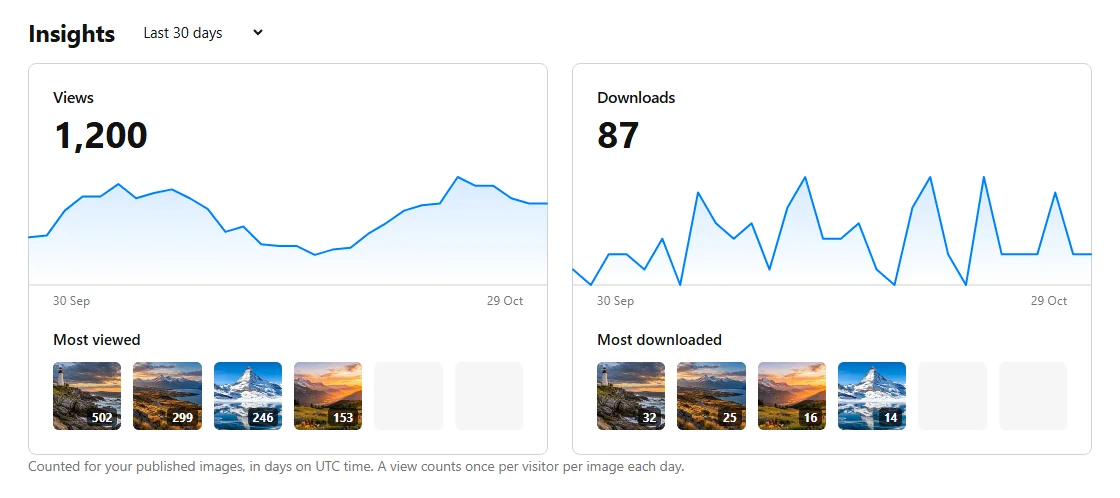
Where to find your stats
Log in and click Account at the top of the page. Your stats are under Insights on the Overview tab. Use the menu next to the heading to see the last 7, 30 or 90 days.
What you see
- Views and Downloads: the totals for the period, with a chart of each day. Point at the chart (or tap it, or use the arrow keys) to see a single day's number.
- Most viewed and Most downloaded: your top images in the period.
- Your images, further down: all your published images with their total views and downloads. You can sort them by views, downloads or newest.
Visibility
Your Insights are only visible to you. Each image's total views and downloads are also shown on its own page, for everyone.
How often are stats updated?
Straight away: a view or download is counted the moment it happens. Days follow UTC (London winter time), so a day in your stats may start and end at a different hour from your clock.
What counts as a view or a download?
A view is counted when someone opens your image's page. Each person counts once per image per day, so refreshing the page doesn't add more views. A download is counted every time someone downloads the image, in any size. Search engines and other automated visitors aren't counted.
Since when?
Daily stats started on 28 October 2026, so the charts don't go back further than that. Images can only gain views and downloads once they are published.